
Defining a Philanthropic Donor-Finding Tool with OOUX
THE CHALLENGE
Strategic Design Within Budget Constraints
A philanthropic organization had a clear vision for a new tool to help find and match donors more easily. But because the tool didn't exist yet, they didn’t have a understanding of how it would function, or all of the data they’d need access to.
Budgets were also slim, and they wanted to create a proof of concept to gather more investment. This meant we couldn't design everything and needed a strategic design approach that could be developed efficiently with little additional design support.
Without a clear understanding of the system structure, we could have easily over-designed or under-designed this first version, creating generic components that didn't serve the complexity of relationships the tool needed to represent, or designed too many variations, blowing their budget before we could finish.
Breaking Down the System
Before screen design, I led a multi-day UX strategy workshop with their director, the development team, and UI designer. Breaking the system down by its core objects, we got to detailed discussions about the requirements in a matter of days.
The primary use of the tool was to allow someone to select nodes (or what we defined as Entities like people, organizations, or funds) and view the various Connections between them, like family, professional, or charitable.
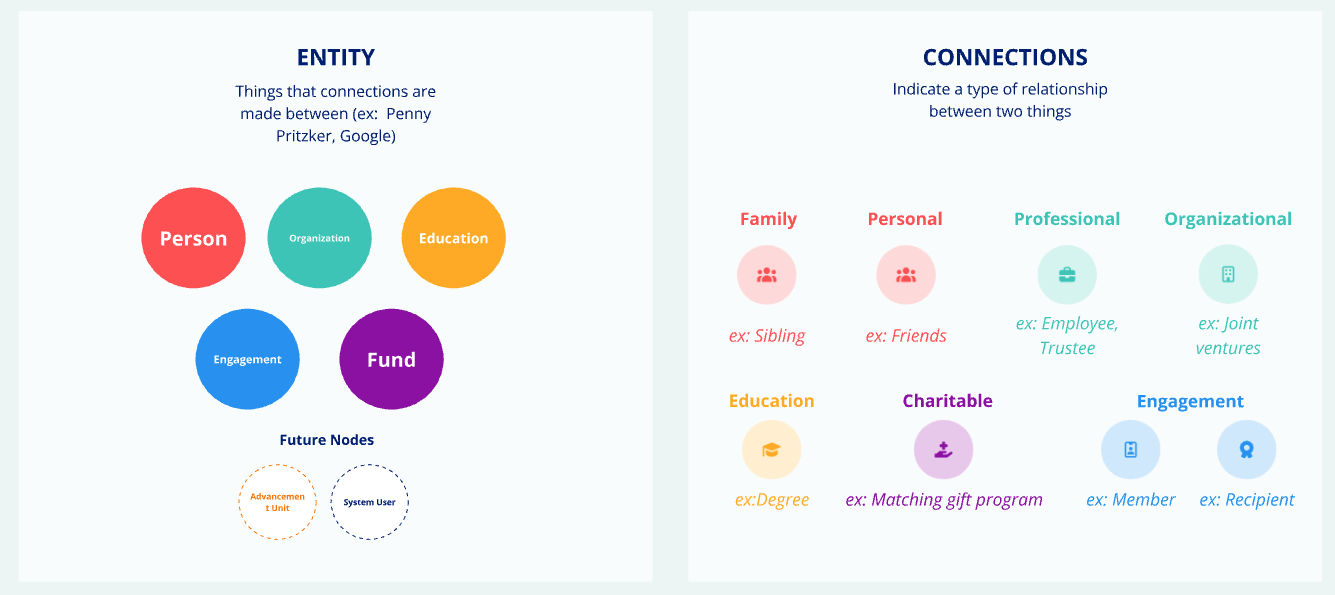
Together, we created a low-fidelity visual map of the system’s front-end experience using digital post-it notes. We defined how the different objects— Entities and Connections—were structurally different based on their type, and got really clear on what was in and out of scope. This helped leadership prioritize the MVP and create a clear backlog of future additions.
The outcome of a multi-day remote ORCA sprint activities
Designing for Recognition, Not Just Function
Because of the limited budget, we had to be very strategic with how much we mocked-up and created screen designs for. Without this early understanding of the requirements, we might have designed one generic "Entity card" and one generic "Connection card".
Designing this way feels efficient at first— just re-use the same design. When in fact, this seemingly harmless decision is the exact thing that makes products difficult to use. Reducing each things recognizability forces user to use more cognitive energy to differentiate things in the tool, making it more difficult to use and an overall un-enjoyable experience.
When you’re bringing something to market for beta testing, the biggest mistake you can make is introducing unnecessary friction load and confusion.
Because we understood the structural differences between Entity and Connection types, we made intentional design choices so they stood out from one another.
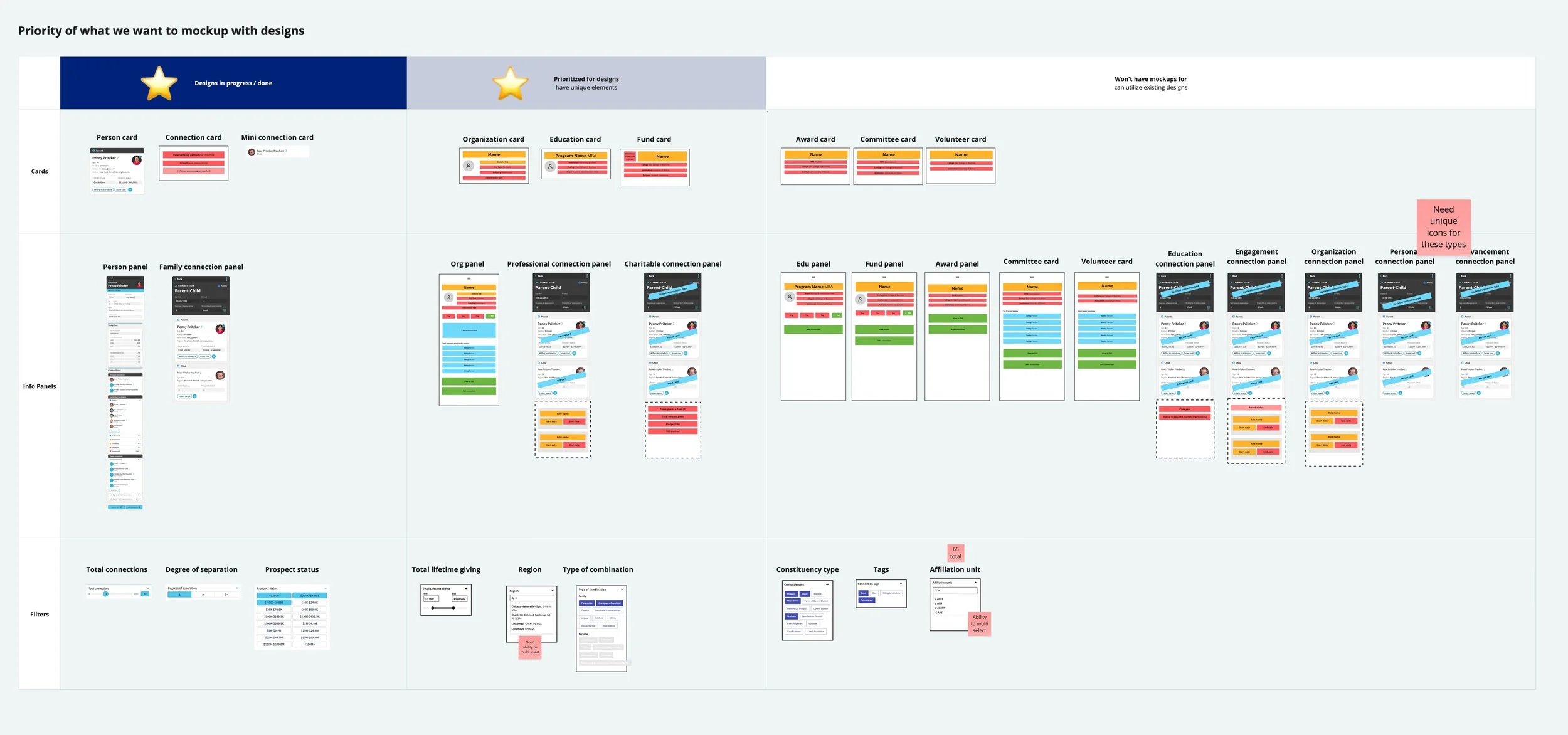
What this meant for the project:
Long-term plan for future phases when funding became available
Efficient user experience design that didn’t negatively impact product market fit testing.
Faster design and development phases without endless back-and-forth
Why use OOUX ?
Learn why I’ve integrated OOUX and the ORCA process into my work supporting clients and teams.